
Introduction
Cloud-Based Software Solutions have changed the way people and businesses use technology. In the past, software had to be installed on a computer, updated manually, and maintained with care. Today, things are much easier. With cloud-based software solutions, you can access tools and data online from anywhere, at any time, using almost any device.
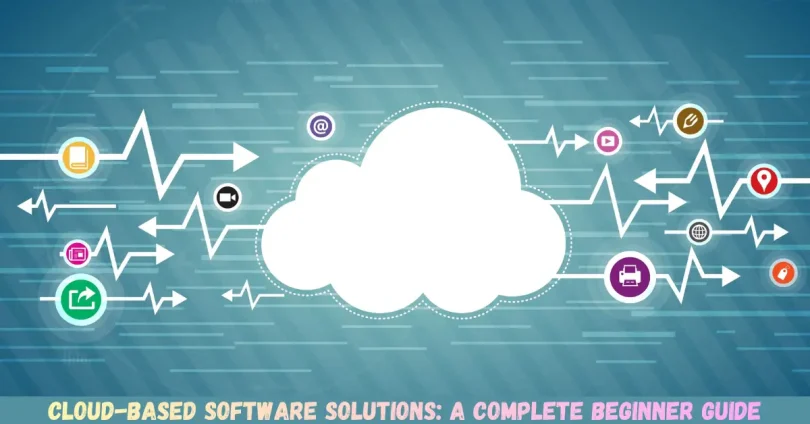
For beginners, the idea of the cloud may sound confusing at first. Some people think it is something physical floating in the sky. In reality, the cloud simply means powerful computers called servers that store data and run software over the internet. When you use cloud-based software solutions, you are using these servers instead of relying only on your own device.
What is Cloud-Based Software Solutions?
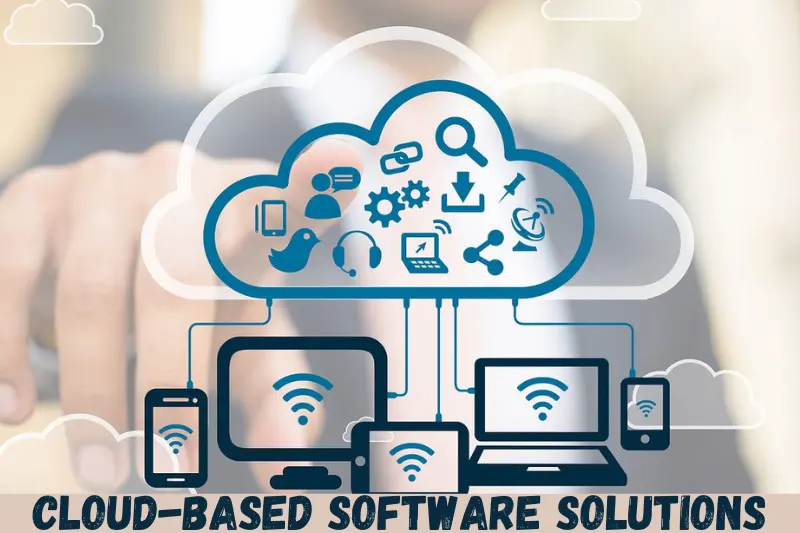
Cloud-based software solutions are programs that run on internet servers instead of being installed on a local computer or device. Users access these tools through a web browser or app, while the actual software and data are stored online.
Instead of buying software once and installing it, users usually pay a monthly or yearly fee. This model is often called subscription-based software. Updates, security, and maintenance are handled by the service provider, not the user.
For example, online email platforms, file storage services, and project management tools are all cloud-based software solutions. You log in, use the features, save your work, and log out. Everything stays safely stored in the cloud.
These solutions can be used on laptops, tablets, or smartphones. As long as there is an internet connection, access is possible. This makes cloud-based software solutions ideal for remote work, teamwork, and businesses with flexible needs.
Why is Cloud-Based Software Solutions Important?
Cloud-based software solutions are important because they support modern digital lifestyles and business needs. People now expect fast access, smooth collaboration, and reliable performance.
One major reason is convenience. Users do not need powerful hardware to run heavy software. The cloud does the hard work. This lowers costs and makes advanced tools available to more people.
Another key reason is scalability. Businesses can start small and grow easily. If more storage or features are needed, they can upgrade without installing anything new.
Security also plays a big role. Most cloud-based software solutions include professional security measures, regular backups, and data recovery options. This reduces the risk of losing important information.
Finally, these solutions support teamwork. Multiple users can work on the same file at the same time. This improves communication, speeds up tasks, and increases productivity across teams and locations.
Detailed Step-by-Step Guide
Step 1: Identify Your Needs
Before choosing cloud-based software solutions, understand what you need.
Ask yourself:
- What problem am I trying to solve?
- Do I need storage, communication, or automation?
- How many users will access the software?
Clear goals help you avoid paying for features you do not need.
Step 2: Choose the Right Type of Solution
There are different types of cloud-based software solutions.
Common categories include:
- Productivity tools
- Accounting and finance software
- Customer management systems
- File storage and backup services
Choose a category that matches your needs.
Step 3: Compare Features and Pricing
Not all solutions offer the same features. Compare plans carefully.
Look for:
- Storage limits
- User access levels
- Security features
- Customer support
Free trials are useful for testing before paying.
Step 4: Check Security and Privacy
Security is critical when using cloud-based software solutions.
Make sure the provider offers:
- Data encryption
- Regular backups
- Access control options
- Clear privacy policies
This protects your data from unauthorized access.
Step 5: Set Up and Customize
Once selected, create your account and customize settings.
This may include:
- Adding users
- Setting permissions
- Adjusting notifications
- Organizing folders or dashboards
Proper setup improves daily usage.
Step 6: Train Users
Even simple tools need some learning.
Provide basic training:
- How to log in
- How to save work
- How to share files
- How to get help
Training reduces mistakes and confusion.
Step 7: Monitor and Improve
After using the software, review its performance.
Check:
- User feedback
- System speed
- Cost effectiveness
Upgrade or switch tools if needed.
Benefits of Cloud-Based Software Solutions
- Easy access from anywhere with internet
- Lower upfront costs
- Automatic updates and maintenance
- Scalable for growing needs
- Improved teamwork and collaboration
- Better data backup and recovery
- Reduced hardware requirements
- Faster deployment and setup
Disadvantages / Risks
- Internet dependency
- Possible data privacy concerns
- Limited control over system updates
- Subscription costs over time
- Risk of service downtime
- Learning curve for new users
Common Mistakes to Avoid
Many users make mistakes when adopting cloud-based software solutions.
One common mistake is choosing software without research. Always compare options before deciding.
Another mistake is ignoring security settings. Weak passwords and open access can cause data leaks.
Some users also overpay for features they never use. Start with basic plans and upgrade later.
Not training users is another issue. Even the best tools fail without proper usage.
Finally, relying on one provider without backups can be risky. Always keep data backup options in mind.
FAQs
What are cloud-based software solutions used for?
Cloud-based software solutions are used for tasks like file storage, communication, accounting, project management, and customer support. They help users work efficiently online.
Are cloud-based software solutions safe?
Yes, most cloud-based software solutions are safe when provided by reputable companies. They use strong security measures, but users should also follow best practices.
Do I need technical skills to use them?
No advanced skills are required. Most cloud-based software solutions are designed for beginners with simple interfaces and helpful guides.
Can small businesses use cloud-based software solutions?
Absolutely. Small businesses benefit greatly because these solutions are affordable, flexible, and easy to scale as the business grows.
What happens if the internet is down?
Without internet access, cloud-based software solutions may not work. Some tools offer limited offline features, but full access usually needs connectivity.
How much do cloud-based software solutions cost?
Costs vary depending on features and usage. Many offer free versions, while paid plans are usually monthly or yearly subscriptions.
Expert Tips & Bonus Points
Start with free trials to understand the software before committing. This helps avoid unnecessary costs.
Always review user permissions regularly. Remove access for users who no longer need it.
Use strong passwords and enable extra security options when available.
Schedule regular data backups, even if the provider offers automatic backups.
Stay updated with new features. Cloud-based software solutions improve often, and updates can increase productivity.
Finally, choose solutions with good customer support. Quick help saves time when problems arise.
Conclusion
Cloud-based software solutions have become an essential part of modern life and business. They offer flexibility, cost savings, and easy access that traditional software cannot match. For beginners, these solutions may seem unfamiliar at first, but they are designed to be user-friendly and efficient.
By understanding what cloud-based software solutions are and why they matter, users can make better decisions. From identifying needs to choosing the right tool, each step plays an important role in success. While there are some risks, most issues can be avoided with proper planning and security practices.
The benefits clearly outweigh the disadvantages for most users. Improved collaboration, automatic updates, and reliable data storage make daily tasks easier and faster. Businesses of all sizes, as well as individual users, can gain value from using cloud-based software solutions correctly.