
Introduction
In today’s digital world, software powers almost everything we do—from business operations to personal projects. While many people rely on commercial software that comes with a price tag, there is a powerful alternative gaining momentum: open source software. Open source software (OSS) has become more than just a trend; it represents a shift toward collaboration, transparency, and cost efficiency.
Open Source Software allows users to access, modify, and share the source code freely. Unlike proprietary software, which is controlled by a single company, OSS empowers communities and individual developers to create, improve, and customize software according to their needs. This freedom encourages innovation, improves security, and often reduces costs, making it an attractive option for both businesses and personal users.
What is Open Source Software?
Open source software (OSS) is a type of software whose source code is publicly available for anyone to view, modify, and distribute. Unlike closed-source or proprietary software, where only the company or developer has access to the code, OSS encourages collaboration and transparency.
The core principles of open source software include:
- Accessibility: Anyone can access the source code without paying a fee.
- Transparency: Users can inspect the code to understand how it works.
- Collaboration: Developers worldwide can contribute to improving the software.
- Freedom: Users can modify the software to suit their needs and redistribute it.
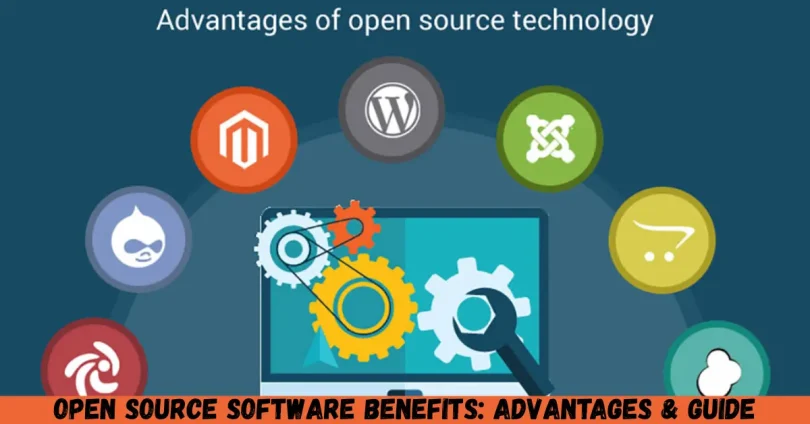
Popular examples of open source software include Linux, Apache, Mozilla Firefox, WordPress, and GIMP. These platforms demonstrate the versatility and power of OSS, serving both individual users and large organizations.
Open source is not just about free software; it is about giving users control over their tools and promoting a collaborative community that values innovation and continuous improvement.
Why is Open Source Software Important?
Open source software is more than just an alternative to commercial software; it has become a crucial element in the modern tech landscape. Here’s why it is important:
- Cost Efficiency: Since OSS is usually free, it reduces expenses for businesses, startups, and individuals.
- Security and Transparency: Open access to the source code allows vulnerabilities to be identified and fixed quickly by the community.
- Flexibility: Users can modify the software to fit specific requirements, making it highly adaptable.
- Encourages Learning: Beginners and intermediates can study the code to learn programming, software design, and best practices.
- Community Support: Open source projects often have active communities ready to provide guidance, tutorials, and solutions.
- Innovation: Collaborative development drives rapid innovation, ensuring that the software evolves continuously.
By choosing open source software, organizations and individuals are not only gaining access to powerful tools but also contributing to a culture of learning and innovation that benefits everyone.
Detailed Step-by-Step Guide to Using Open Source Software
Step 1: Identify Your Needs
Before choosing any software, understand your goals:
- Are you looking for a content management system, graphics tool, or server software?
- Do you need software for personal use, education, or business operations?
- What level of technical expertise do you have?
Answering these questions will help you select the right OSS for your needs.
Step 2: Research and Choose the Software
Once you know your requirements, research available open source alternatives. Look for:
- Popularity: More popular software usually has better community support.
- Updates: Regular updates indicate active development.
- Documentation: Comprehensive guides and tutorials make it easier to use.
For example:
- WordPress for websites and blogs
- Linux for operating systems
- LibreOffice for office productivity
Step 3: Download and Install
Most open source software can be downloaded directly from the official website. Steps include:
- Visit the official website of the software.
- Choose the correct version for your operating system.
- Download and follow installation instructions.
For Linux, you might use commands like sudo apt install software-name in the terminal, while Windows users may run a simple installer.
Step 4: Configure and Customize
Open source software often allows you to tailor the software to your needs:
- Adjust settings and preferences
- Add plugins or extensions
- Customize the interface for better usability
For instance, WordPress users can choose from thousands of free themes and plugins to enhance their website.
Step 5: Explore Community Resources
Join forums, read documentation, and participate in community discussions:
- Websites like GitHub host projects with active contributors.
- Communities provide support, tutorials, and bug fixes.
- You can also contribute by reporting issues or suggesting improvements.
Step 6: Maintain and Update
Regular updates are crucial for security and performance.
- Enable automatic updates where possible.
- Follow community announcements for new releases.
- Backup your data before major updates.
By maintaining the software, you ensure long-term reliability and performance.
Benefits of Open Source Software
Open source software comes with numerous advantages for users of all levels. Key benefits include:
- Cost Savings: Most OSS is free, reducing software expenses significantly.
- Flexibility and Customization: You can modify software to fit your unique needs.
- Security: Open code allows vulnerabilities to be spotted and resolved quickly.
- Transparency: You know exactly what the software does, avoiding hidden processes.
- Educational Value: Beginners and developers can learn from real-world code.
- Community Support: Active communities provide guidance, troubleshooting, and updates.
- Interoperability: OSS often works well across multiple platforms and systems.
- Longevity: Community-backed projects often survive longer than some commercial products.
For businesses, these benefits translate to improved productivity, reduced costs, and a competitive edge in technology adoption.
Disadvantages / Risks
While open source software has many advantages, it’s important to consider potential drawbacks:
- Limited Official Support: Support depends on the community rather than dedicated teams.
- Complexity: Some OSS may be harder to use without technical knowledge.
- Compatibility Issues: Certain software may not work seamlessly with proprietary tools.
- Security Risks: While transparent, software can still have vulnerabilities if not updated.
- Hidden Costs: Customization or training may incur costs.
- Documentation Variability: Some projects have limited or confusing documentation.
Understanding these risks helps users make informed decisions and plan for solutions.
Common Mistakes to Avoid
Many beginners make mistakes when using open source software. Avoid these pitfalls:
- Ignoring Updates: Failing to update software can lead to security risks.
- Skipping Research: Not checking compatibility and community support may cause frustration.
- Overlooking Documentation: Ignoring guides and tutorials can lead to inefficient use.
- Poor Backup Practices: Customizations and data should be backed up regularly.
- Assuming Free Means Effortless: While free, OSS may require time and technical effort.
- Neglecting Community Engagement: Not participating in forums means missing valuable support.
By being proactive, users can fully leverage the advantages of open source software while minimizing risks.
FAQs
1. Is open source software always free?
While most open source software is free to use, some projects offer premium features or paid support. The core source code remains accessible and modifiable.
2. Can beginners use open source software?
Yes! Many OSS tools are beginner-friendly. Examples include LibreOffice for office tasks and WordPress for website creation. However, some technical knowledge may help with advanced customization.
3. How is open source software different from freeware?
Freeware is free to use but the source code is typically closed. Open source software is not only free but also allows modification, redistribution, and collaboration.
4. Is open source software secure?
Open source software can be very secure due to community review. However, security depends on updates, proper configuration, and active community involvement.
5. Can businesses rely on open source software?
Absolutely. Many companies, including Google, Facebook, and Amazon, rely on open source tools for servers, development, and other operations.
6. What are examples of popular open source software?
Some widely used OSS includes Linux, WordPress, Mozilla Firefox, Apache, GIMP, LibreOffice, and Blender.
7. Can I contribute to open source software?
Yes! You can report bugs, write documentation, code, or even provide financial support to projects. GitHub is a popular platform for contribution.
8. Do I need technical skills to modify open source software?
Basic modifications like changing settings may not require technical skills, but more advanced customization, such as editing source code, will require programming knowledge.
Expert Tips & Bonus Points
- Start Small: Begin with user-friendly software like LibreOffice or WordPress before moving to complex projects.
- Use Virtual Machines: Test new software in a virtual environment to avoid affecting your main system.
- Engage with the Community: Join forums, mailing lists, and GitHub repositories for guidance.
- Keep Backups: Always back up data before making major changes or updates.
- Learn from Code: Study open source projects to improve programming skills.
- Regular Updates: Schedule updates and patches to maintain security and performance.
- Evaluate Licensing: Understand the software license (e.g., GPL, MIT) to comply with legal requirements.
By following these tips, beginners and intermediate users can maximize the benefits of open source software while minimizing risks.
Conclusion
Open source software benefits users in countless ways, from cost savings and flexibility to learning opportunities and community support. It provides an empowering alternative to commercial software, giving individuals and organizations the freedom to innovate and customize according to their needs.
For beginners and intermediate users, embracing open source software can enhance skills, reduce expenses, and create a collaborative mindset. By understanding what open source software is, exploring its advantages, avoiding common mistakes, and engaging with the community, you can fully harness its potential.